





QuickBooks Integration
ELIMINATE DOUBLE DATA ENTRY
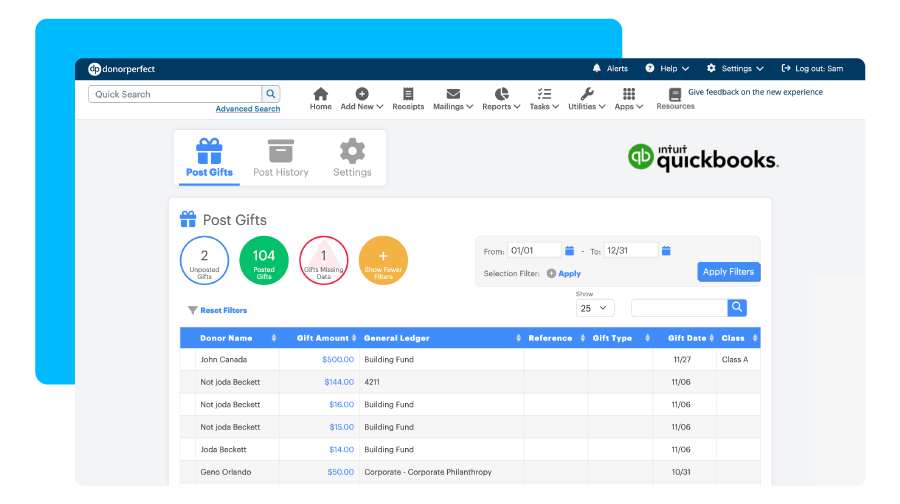
Click Image to Enlarge
Still using spreadsheets or disconnected systems to track your fundraising efforts?
When you unify your accounting software with your fundraising CRM, you no longer have to worry about your organization’s finances falling through the cracks. Simply feed your DonorPerfect data into Intuit QuickBooks to automatically organize all of your finances in one place, and voila – seamless accounting that keeps your board and fundraisers on the same page.
Looking for an accounting solution that is tailored to your nonprofit?
Look no further than DonorPerfect’s integration with QuickBooks. This must-have duo saves your organization more than 50 hours per month and allows access to your data via smartphone, tablet, or PC.
See what QuickBooks Online can offer your organization: Learn more >>
Explore how DonorPerfect’s integration with QuickBooks empowers nonprofit staff & leadership
Integration benefits
- Post to your existing General Ledger system
- Configure how your gifts post to QuickBooks
- Send transactions to multiple bank accounts
- Get detailed and summary listings
- Map gifts to bank accounts, income accounts, classes
- Manage staff access for data entry tasks
QuickBooks Desktop: Just the basics
- Import DonorPerfect data files into QuickBooks
- Creates bank account and income account entries
- Send transactions to multiple bank accounts in one file
QuickBooks Online: Grow your nonprofit
- Save more than 50 hours per month on administrative tasks
- Send gifts from DonorPerfect to QuickBooks in one click
- Access real-time data and automatically download transactions
- Transfer transaction details and create journal entries
- Quickly access filters for posted and unposted gifts
- Customize the formatting of your data
- Post gifts as individual, daily, or monthly summaries
- Map your donors to QuickBooks customers
Our Simple Setup makes syncing information easy!
Choose the real-time QuickBooks Online bank account and map Income Accounts right from DonorPerfect. These can be changed in your DonorPerfect settings at any time.
Learn More about QuickBooks Integration
Related resources

Constituents Page