
With the cost of direct mail production on the rise, many nonprofits are turning to email marketing as a cost-effective alternative. This is especially true on GivingTuesday – a time-sensitive, online giving event – as it can be difficult to guarantee timeliness through the Postal Service. Emails and social media posts keep nonprofits engaged with their constituents throughout GivingTuesday, sending communications at the times of day with the highest traffic.
Think about how easily you could write GivingTuesday emails if you knew exactly what would resonate with your supporters and could guarantee their engagement. With nonprofit email marketing tools that integrate with your CRM, you can reduce guesswork and inform your GivingTuesday communications before you begin your campaign, making it much easier to reach and exceed your fundraising goals.
There are five aspects of nonprofit email marketing that can dramatically improve the performance and execution of your GivingTuesday communications.
Best-in-class GivingTuesday email tools
1. Email analytics
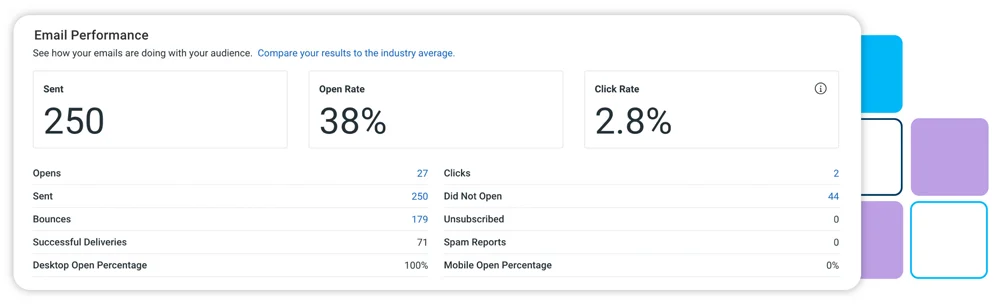
Know who is opening, clicking, and sharing your emails and social media posts.
Past campaign results are the best indication of your most effective fundraising emails. Each time you start planning a GivingTuesday campaign, you can start by reviewing analytics from your previous campaigns.
Pay special attention to the emails, subject lines, and calls to action with the highest open and click-through rates. Compare your high-performing emails against lower-performing emails, and consider what made them more successful. Was it personalized content? Was it a compelling image or impact story? For the future, make a habit of summarizing the GivingTuesday campaign elements that helped you best connect with donors.
If you already know what works, and you’re more concerned with the here and now, an analytics dashboard will allow you to monitor the success of your emails in real-time!
2. Email templates
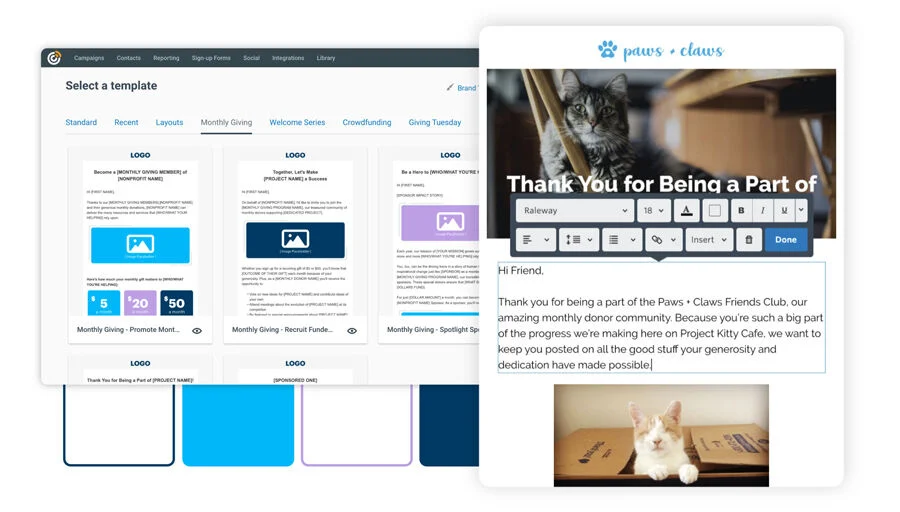
Skip the writing – add your nonprofit’s details to a ready-made email template.
If you’re one of the 85,000 businesses and nonprofits that use Constant Contact, you already know that you can easily customize professional email templates and add your branding with a drag-and-drop editor. To drive revenue and results even further, nonprofits who fundraise with DonorPerfect are able to integrate Constant Contact with their fundraising system for seamless execution of their GivingTuesday campaign.
In fact, DonorPerfect users have access to more than 25 exclusive Constant Contact fundraising email templates, including GivingTuesday, crowdfunding, welcoming new donors, monthly giving, and more.
3. Segmented lists
Import, store, and segment contacts to ensure your emails resonate.
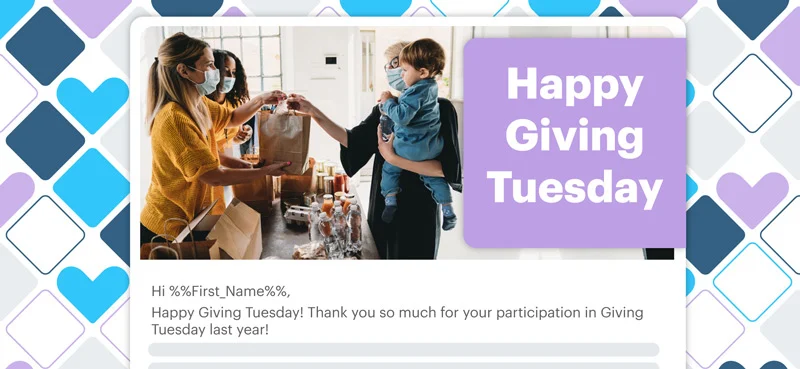
It’s frustrating to be inundated with emails that don’t apply to you. With integrated email marketing, you can create email lists for your specific GivingTuesday groups in minutes. Think of donors who gave on GivingTuesday last year, donors who give in the last three months of the year, or donors who respond well to time-sensitive causes.
Each group will only need a slight tweak to your GivingTuesday email template to make it personalized. For example, “Thank you so much for your participation last year” vs. “We noticed you prefer to give toward the end of the year.” That little bit of personalization goes a long way with donors, making them feel called to action and letting them know their contributions don’t go unnoticed.
Take segmentation a step further by creating donor personas that help you envision the audience for each communication and choose the appropriate messaging.
Try it with
4. Email series
Send donors a series of scheduled emails based on how they engage with you.
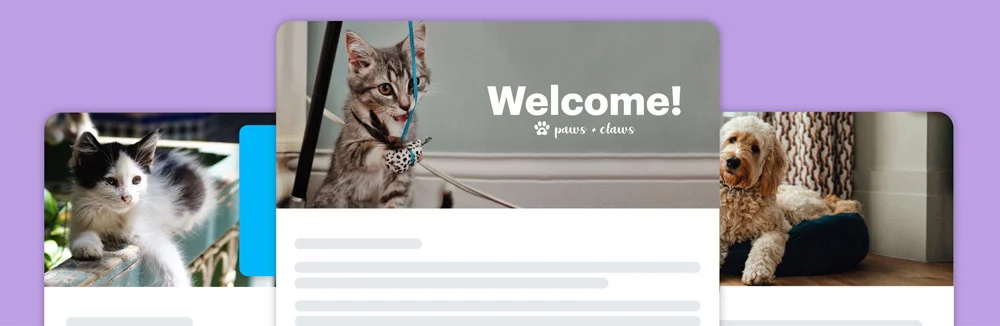
GivingTuesday is a great time to acquire new donors. For ten years strong, it’s been a well-known, worldwide generosity movement, with 35 million people participating each year. Imagine if you sent a welcome email series to each new GivingTuesday donor you acquired – thanking them for joining the cause, getting them acquainted with your mission and its impact, and letting them know of upcoming opportunities to get involved. Integrated email marketing makes this not only possible but automatic!
Constant Contact Plus allows nonprofits to trigger automated email series based on how their contacts engage. Once a donor is added to one of your email lists – by giving a first-time gift, being recaptured after lapsing, giving a gift greater than $500, and so on – they will be started on the corresponding email series.
5. Dynamic content
Personalize your email content based on your donor’s contact details.
Like segmentation, dynamic content increases the success of your emails by making them more relevant to recipients. Using email marketing tools that integrate with your fundraising system, like Constant Contact and DonorPerfect, you can automatically pull details from your donor records into the body of your emails. Dynamic content options include the recipient’s name, their salutation, the campaign they gave to, the amount or date of their last gift, and so on.
This feature provides an opportunity to ask donors to match or upgrade their last GivingTuesday gift. It also helps the donor build trust in your organization – especially brand new donors giving to you for the first time on GivingTuesday – that you keep accurate records of their involvement and will provide an accurate tax letter at the end of the giving season.
Get the word out and keep supporters updated on your progress.
Before GivingTuesday
- Campaign reveal email: First week of November
- Social media ambassador emails: Mid-November
- Reminder email: Day before GivingTuesday
You don’t need to bombard your donors with email after email about GivingTuesday, especially if you’ve used email marketing tools that increase the relevancy and effectiveness of your communications. If you choose to send more than a few reminders, use your email marketing tool to exclude donors who already opened your previous emails.
On GivingTuesday
- Today’s the day – 8:00 – 10:00 am
- Goal update (optional) – 12:00 – 2:00 pm
- Goal update – 4:00 – 6:00 pm
- Last call – 8:00 – 10:00 pm
DonorPerfect research has shown that the highest volume of GivingTuesday gifts are processed in the evening at 6:30, 11:00, and 11:59 pm. Try sending emails before or during these time periods so that when donors are free to check their email, the reminder to donate is there waiting for them.
After GivingTuesday
- December 1st
- December 15th
- December 31st
DonorPerfect research has shown that, in the month of December, the highest volume of gifts were processed on the 1st, 15th, and 31st of the month. Try engaging with your GivingTuesday donors on these dates, encouraging them to make their last tax-deductible donations of the year, and maximize the impact of their annual contribution.
GivingTuesday may seem daunting to nonprofits who haven’t participated before, or even to those who have. For seasoned professionals, it may be a rewarding challenge to harness months of momentum in a single day. The takeaway is that when you have the right tools in place, you can pull it off without a hitch – and without burnout.