As your nonprofit grows, spreadsheets and disconnected tools can be limiting. You may be spending too much time pulling reports, reconciling data between departments, or tracking donor communications across multiple platforms.
A nonprofit CRM (constituent relationship management) system eliminates these barriers by centralizing your fundraising and engagement efforts in one software.
However, not all CRMs are built the same, and not all CRMs are built for nonprofits. This guide is designed to help you choose the best nonprofit CRM for your organization, boosting results now and as you grow.
Why an integrated system matters
One of the biggest advantages of a nonprofit CRM is having all of your fundraising tools under one roof. Instead of juggling multiple subscriptions and logging in and out of different platforms, a CRM integrates functions like donation processing, email marketing, event management, and reporting into a single system.
When your fundraising tools can “talk to each other,” data is automatically synced across departments. That means development and accounting are always looking at the same numbers, communications can quickly build campaigns from accurate donor segments, and leadership can trust the data they see without waiting for manual reconciliation.
This kind of integration saves staff time, reduces errors, and eliminates the frustration of working across disconnected systems. Most importantly, it allows your team to focus less on managing technology and more on advancing your mission.
Features to look for in a nonprofit CRM
Before you buy a nonprofit CRM, consider the features you will need to achieve your fundraising goals, from the attainable to the ambitious. For example, if you want to increase donor and volunteer participation, you may need a platform that integrates with email marketing and engagement scoring.
Beyond features, the best system should help your organization grow revenue and relationships, so it’s critical to choose a software vendor whose services you can rely on now and in the future.
Regardless of your organization’s current size, the following features will enable you to scale your fundraising operations as revenue increases.
1. Donation tracking that supports stewardship and strategy
A strong nonprofit CRM turns raw transaction data into insights that fuel meaningful stewardship and confident decision-making. When your donation data is clean and actionable, your team can run accurate reports, spot giving trends, and share impact with your supporters.
Look for a system that:
- Connects each donation to the donor’s full giving history
- Tracks soft credits, recurring gifts, pledges, and matching gifts
- Supports multiple giving channels (online, mobile, crowdfunding, events)
- Includes tools to acknowledge gifts and personalize thank-yous
The best nonprofit CRM will also allow you to customize your system to key aspects of your fundraising, like monthly gift programs, in-kind gifts, and donations made in memory or honor of someone.
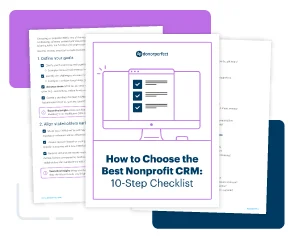
Need help evaluating your CRM options? Get your free 10-step checklist: How to Choose the Best Nonprofit CRM >>
2. Donor segmentation for more personalized outreach
Segmentation enables you to send targeted appeals, newsletters, or updates that deeply resonate with your donors. To improve retention and engagement, your CRM should offer flexible segmentation tools that are easy to use, even as your donor base grows.
For example, if you work with pets, students, or any specialized group, the ability to add custom data fields to your donor records can help you track details that are vital to your mission. Additionally, tools like custom calculated fields allow you to quickly answer questions like, “When was the last time this donor responded to our annual campaign?”
Look for tools that allow you to group donors based on:
- Giving history or frequency
- Specific campaigns they have supported
- Event attendance or volunteer activity
- Custom alerts or flags you track internally
Some CRMs integrate directly with email platforms, allowing you to sync your donor segments with your communication tools. For example, DonorPerfect users can build segments based on giving patterns and sync them to Constant Contact, making it easy to create email lists using custom data.
3. Campaign and fundraising reporting
To determine whether your fundraising efforts are effective and identify areas for improvement, you need clear and reliable reporting. Ideally, your CRM should offer robust report-building tools (like custom dashboards, filters, graphs, charts, and multiple export formats) that make it easy to monitor progress throughout the year.
Don’t shy away from advanced reporting tools—as long as they’re intuitive, they will help you grow your operations and continue to support you as you do.
Look for features that allow you to analyze:
- Campaign return-on-investment (ROI)
- Donor retention and acquisition trends
- Growth in major/monthly giving programs
- Giving by appeal, channel, or event
4. Mobile access and workflow automation
The best nonprofit CRM for your organization should help you eliminate obstacles standing in the way of a seamless donor experience. As your nonprofit grows, donor trust will require two things: mobile access and workflow automation.
You and your staff will need immediate access to your fundraising data in various situations (events, in the field, and on the road) to build trust with your donors.
Look for a nonprofit CRM that provides:
- A mobile app or browser-friendly platform
- The ability to record gifts or meeting notes in real time
- Tools to check in event attendees or volunteers
In addition to saving major time, workflow automation builds donor trust by helping you do what you say you’re going to do. Look for nonprofit CRM features like automated receipting, scheduled outreach, and major gift alerts to ensure that no donor is overlooked.
For example, DonorPerfect’s automated workflows can instantly send a personalized thank-you email after a donation, assign a follow-up task to the right staff member, and alert leadership if the gift meets a certain threshold.
5. Integrations with finance, email, and other tools
Disconnected systems waste time and introduce errors. Nonprofit CRM integrations ensure that accounting and development work from the same data, marketing sends campaigns to accurate segments, and admin spends less time on manual data entry.
Fundraising is a unique and nuanced profession, so “one-size-fits-all” tools often don’t cut it. Before you buy, research vendors and providers whose software is specifically designed or easily adapted for the nonprofit sector.
For example, Sage Intacct Fundraising is accounting software exclusively for nonprofits. Many tools, including Constant Contact’s email marketing platform, are also designed to help nonprofits engage supporters and drive donations.
Look for a nonprofit CRM that integrates with other tools, such as:
- Accounting software like QuickBooks or Sage
- Email marketing platforms like Constant Contact
- Text or video messaging tools
- Event registration or auction software
6. Ease of use with scalability for growth
In a nonprofit CRM, ease of use should not come at the cost of scalability. For example, some organizations may only need the basics right now, but as they grow, they will require access to advanced tools without having to migrate all of their data to another system.
The best nonprofit CRM is one that your staff will still value several years from now. Systems like DonorPerfect are designed to scale with your organization, offering a balance of simplicity for new users and powerful features for experienced teams.
Look for signs of nonprofit CRM scalability:
- An intuitive, easy-to-navigate interface
- Simple data entry and record-keeping
- Built-in support resources and tutorials
- Role-based permissions for different teams
The overall goal of an integrated nonprofit CRM is to provide you with a single source of truth that supports your entire staff. Just as important as individual features is the benefit of having all of your tools under one roof. When donation forms, email campaigns, event registrations, and reports all live in the same system, your data stays clean, your staff saves time, and your leadership can trust what they see.
Frequently Asked Questions
What is a nonprofit CRM? How is it different from a basic donor database?
A nonprofit CRM (constituent relationship management system) is more than just a database of names and giving amounts. It tracks donor interactions, gifts (including pledges, recurring gifts, matching gifts, etc.), event participation, and custom segments. It supports workflows, automation, and reporting.
In other words, a CRM helps you act on your data instead of simply storing it.
Do we need every feature from day one, or should we start with the basics?
What matters most is choosing a nonprofit CRM that is modular or scalable so you can start with essentials (donation tracking, segmentation, basic reporting) and add features (automation, predictive analytics, advanced dashboards) as your programs mature.
How important are integrations in a nonprofit CRM?
Extremely. When your tools talk to each other, your team gains efficiency and accuracy. Without strong integrations, you’ll end up spending hours manually entering data and ensuring your numbers match across systems. Your nonprofit CRM should sync with accounting software, email marketing tools, event platforms, and other systems.
Can we use a nonprofit CRM without hiring extra staff?
Yes. Look for a nonprofit CRM with an intuitive interface, mobile access, and automation features (like task assignments, scheduled outreach, and automated thank-you emails). These features will reduce manual work while speeding up your workflows.
What should I ask vendors about data migration and setup
Before you buy, the two most important questions to ask nonprofit CRM vendors are: 1) Do you handle full data conversion (gifts, contacts, history)? 2) Can the system be configured to match our processes? After you’ve selected the best nonprofit CRM for your organization, it’s a good idea to ask questions regarding timeline, documentation, and training.