

Simple Strategies for Building a Fundraising Page that Attracts Donors and Inspires Giving
If your nonprofit is launching a fundraising campaign—be it for GivingTuesday, a program initiative, or your annual fund—you’re likely planning to raise a large portion of donations through online channels. As a majority of today’s donors prefer to give online, more organizations are adopting digital campaign strategies that make it easier for donors to discover and support their missions.
But as online fundraising has created new opportunities for nonprofits, it has also made the landscape more competitive. With so many causes immediately accessible to donors, it’s more important than ever to stand out from the digital crowd.
A thoughtfully designed fundraising page can make the difference.
Online donation pages are for more than capturing gifts. If done well, they can:
- Differentiate your nonprofit from other organizations
- Build trust with potential donors, and
- Inspire ongoing generosity and engagement.
In this article, we review the role donation pages play within your larger online fundraising strategy and offer ten creative ideas for making your pages pop.
Why online donation pages matter for nonprofits
You can think about your nonprofit website as a building donors must navigate. The homepage is a front door to your organization, and the supporting pages are rooms visitors can pass through to learn more about your mission.
Your donation page is the most important: the final stop on a visitor’s journey, it’s where an inspired newcomer becomes a committed supporter.
But donors don’t always reach your giving page by browsing your website. Often, they may have been directed there from somewhere else—like an email, social media post, or QR code at a fundraising event. That’s why your donation page should provide donors with a full picture of your organization and its impact, all in one place.
An effective online donation page should:
- Inform visitors of your nonprofit’s mission and values
- Establish a specific need that donors can help fulfill
- Indicate clear, tangible impact outcomes
- Inspire an emotional connection to your organization
- Make it easy to donate without leaving the page
An embedded online donation form, clear text cues, and compelling visual media can help create a donation page that minimizes friction and maximizes donor generosity.
What is the difference between an online donation form and an online donation page?
An online donation form is the specific tool donors use to enter payment and complete a gift, while an online donation page is the designated webpage on your nonprofit website that includes the form along with campaign messaging, branding, and storytelling. Together, they shape the full giving experience and influence whether a visitor converts into a donor.
The donation page drives context and motivation, while the donation form guides giving decisions and enables the transaction.
Key points to know:
- Donation pages include storytelling, branding, and calls to action
- Donation forms capture payment and donor information
- Both work together to influence donor conversion rates
- Optimization requires aligning messaging with the user experience
Pro tip: While your website should include an evergreen online donation page for general year-round support, it’s a good idea to design dedicated giving pages for special fundraising campaigns. This helps maintain consistent campaign messaging and accurate gift data.
10 ways to make your online donation pages pop
Once you’ve established the purpose of your online donation page, the next step is making it more engaging, memorable, and easy to act on.
Small design, storytelling, and user experience choices can make a big difference in how donors respond to your fundraising campaign. Use the following ideas to strengthen your page, communicate impact, and guide donors from inspiration to completed gift.
1. Create campaign-specific branding
Your online donation page should feel like a natural extension of your organizational branding or fundraising campaign. If a donor clicks from an email, social media post, digital ad, or event QR code, the page they land on should reflect the same campaign message and visual cues that brought them there.
Use consistent branding to reassure donors they are in the right place and reinforce the purpose of the campaign.
Consider including:
- Campaign-specific colors, imagery, and design elements
- A headline that reflects the campaign goal or need
- Consistent language across your website, emails, and social posts
- Photos or graphics that connect directly to the campaign theme
- A branded donation form that feels integrated with your website
Strong branding can also help your campaign feel more urgent and memorable. Rather than sending supporters to a generic giving page, a dedicated campaign page makes the ask feel timely, intentional, and worth acting on right now.
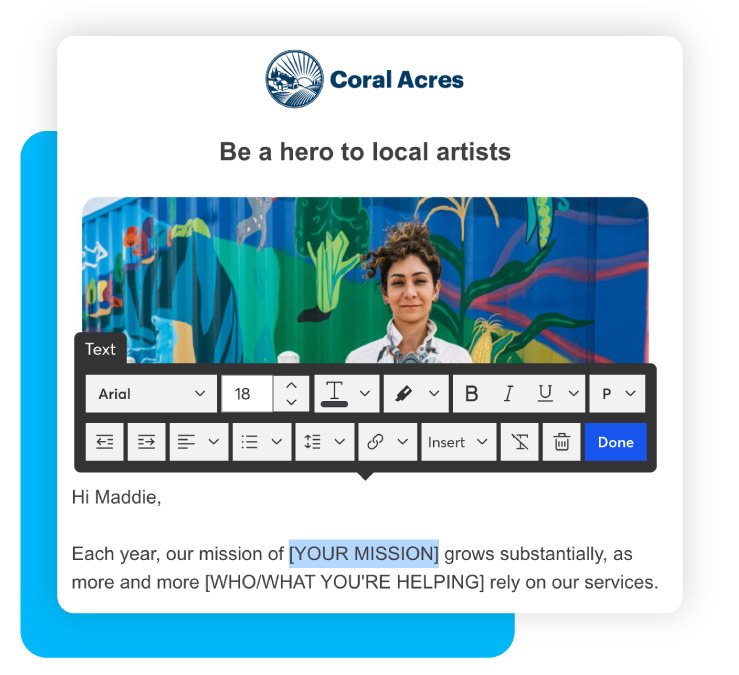
Streamline your nonprofit’s digital marketing and outreach
Every DonorPerfect plan comes with Constant Contact built in, making it easy to create branded fundraising pages and email campaigns that capture donors’ attention and reflect your mission.
2. Lead with a donor-centered appeal for support
When visitors arrive on your online donation page, they should immediately understand why their gift to your organization matters.
A donor-centered appeal for support explains the purpose of the campaign through the lens of the donor’s impact. Instead of focusing only on what your organization needs, show supporters what they can make possible by donating to your organization.
A strong appeal should:
- Clearly state the need that donors can help address
- Explain who or what will benefit from their gift
- Use donor-centered language, like “you” and “your impact”
- Appear near the top of the page
- Be accompanied by a clear and prominent donate button
Example: “Your gift helps provide safe shelter, warm meals, and personalized support for families experiencing homelessness.”
Your call to action should be easy to find, simple to understand, and action-driven. Use direct language like “Donate Now,” “Give Today,” or “Help a Family Today.”
3. Tell one focused impact story
Nonprofit storytelling is one of the most powerful ways to make your online donation page stand out. While data and statistics are important, stories help donors emotionally connect with the people, communities, or causes their gifts support.
Rather than trying to tell your nonprofit’s entire story on one page, choose one focused narrative that represents the larger impact of your work.
An impact story might highlight:
- A client, family, student, patient, animal, or community member
- A volunteer or staff member involved in the work
- A donor who was inspired to give
- A specific challenge your nonprofit helped address
- A transformation made possible by donor support
Pro tip: To keep your impact stories focused, answer a few simple questions:
- What challenge did someone face?
- How did your organization help?
- What changed because supporters gave?
- What can future donors help make possible?
A short quote can also make the story feel personal and credible. Just one or two sentences from a client, volunteer, donor, or program leader can lend weight to your page.
4. Add video testimonials and other visual media
A compelling impact story can go a long way—but there are some things words alone cannot convey. A strong image or video can support your storytelling by bringing your impact to life.
For example, you might add a short testimonial video to your online donation page that features a beneficiary, staff member, or volunteer explaining why the campaign matters. If video is not possible, use high-quality photos that reflect the campaign and its impact.
To make visual media more effective:
- Keep videos short and focused
- Feature real people connected to your mission
- Add captions for accessibility and silent viewing
- Avoid generic stock images where possible
- Make sure images and videos load quickly on mobile devices
Pro tip: A video doesn’t have to be highly produced to be meaningful. In some cases, an authentic message recorded in a familiar setting can feel more personal than a polished promotional video.
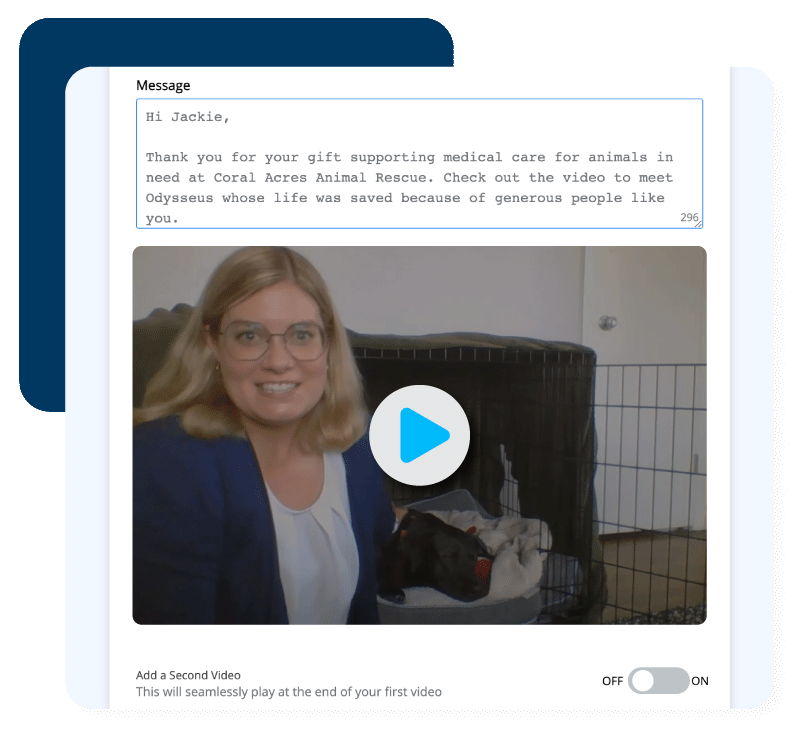
Share videos beyond your nonprofit website.
With DP Video, you can create and send personalized videos right from your nonprofit CRM. Thank donors and illustrate impact with messages they can see, hear, and feel.
5. Use data to make donor impact tangible
While storytelling creates emotional connection, data helps donors understand the material scope of the need and the practical value of their gift.
Use program data, and the data in your CRM, to show donors what is at stake and how their support can help.
Helpful data points might include:
- The number of beneficiaries served (e.g., individuals, animals, families, students, communities)
- The cost of delivering a specific program or service
- The number of people currently waiting for support
- Year-over-year program outcomes
- The campaign goal and how funds will be used
The key is to make your data easy to understand. Avoid overwhelming visitors with too many numbers; instead, choose a few statistics that directly support your fundraising campaign.
Pro tip: Connect suggested giving amounts to tangible program outcomes. For example:
- $25 provides school supplies for one student
- $50 funds a week of meals for a neighbor in need
- $100 helps cover transportation to critical appointments
- $250 supports one month of program materials
These examples help donors choose a gift amount by showing what their contribution can accomplish. They also reinforce that gifts of many sizes can make a meaningful difference.
Inspire high-impact giving with your online donation forms
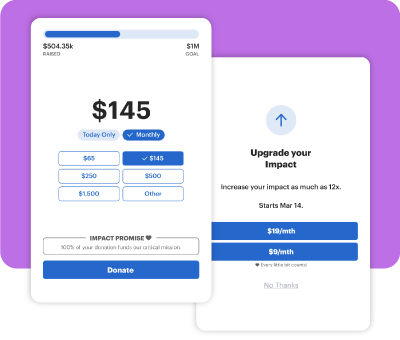
Givecloud’s modern donation forms make it easier than ever for donors to see the impact of their generosity.
Use the donor data in your nonprofit CRM to suggest intelligent ask amounts based on giving behavior, or design impact-first forms that let donors choose outcomes before dollar amounts.
6. Promote recurring giving and other ways to support
A well-optimized online donation form makes it easy for donors to make one-time and monthly contributions. But beyond your embedded form, the donation page itself should include messaging that encourages donors’ ongoing support.
Recurring giving is especially important because it provides your organization with reliable and predictable revenue over time. And for donors, a smaller monthly contribution can sometimes feel more manageable than a larger one-time gift while still creating sustained impact.
To promote recurring giving on your donation page:
- Add a short monthly giving callout next to the donation form
- Explain what a monthly gift can make possible over time
- Use language that emphasizes sustained impact
- Ensure recurring giving is easy to select on your form
The message could be as simple as: “Make your impact last all year by turning your gift into a monthly donation.”
Pro tip: Include a small section on your page that outlines every type of support a donor can provide—gifts of stock, wire, mailed check, donor-advised fund, gift matching, legacy/planned giving—with instructions and impact statements for each. Providing a range of giving options helps more donors connect with your mission and ensures your organization isn’t leaving potential support on the table.
Looking for creative ways to grow your monthly giving program?
Read our Q&A with monthly giving strategist Dana Snyder: How to Spark a Recurring-First Mentality with Supporters
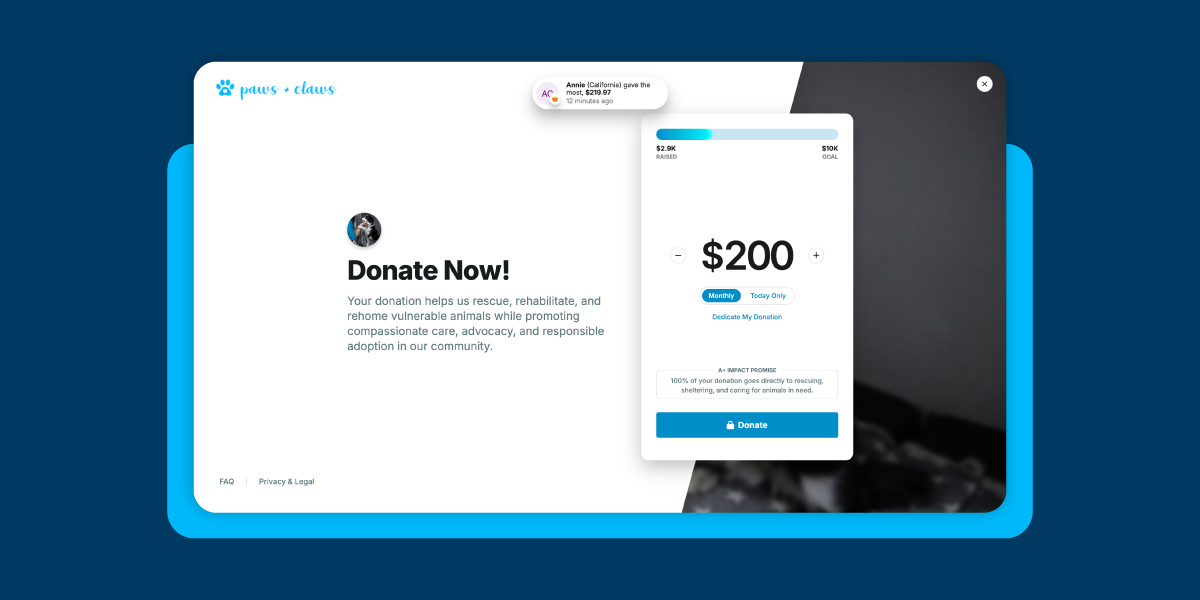
7. Add a campaign progress bar
For time-bound fundraising campaigns, a progress bar can help create momentum.
A visible campaign goal shows donors what your nonprofit is working toward and how close you are to reaching it. This can make visitors feel like they are part of something active and achievable.
Progress bars are especially useful for:
- GivingTuesday campaigns
- Matching gift challenges
- Capital campaigns
- Peer-to-peer fundraisers
- Emergency response campaigns
To make a progress bar more effective, be sure to explain what the goal will make possible, and share regular updates as the campaign reaches specific milestones.
Example: “We’re 75% of the way to funding 500 care packages by December 31. Give today to help us reach our goal within the next 48 hours.”
8. Include trust indicators near your donation form
Before donors complete an online donation form, they need to feel confident that their gift is secure and that your organization is trustworthy.
Trust indicators help reduce hesitation at the moment of giving, especially for donors who are encountering your organization for the first time.
Build trust on your donation page with:
- Secure payment language
- Accepted payment method icons (e.g., credit cards, digital wallets, DAFpay)
- Tax-deductibility information
- A brief privacy statement
- Contact information for donor support
- Nonprofit ratings badges (e.g., GreatNonprofits, Candid, Charity Navigator)
- Links to financials or annual reports
Place these elements close to your donation form or near the final call to action. They don’t need to take up a lot of space, but they should be easy to see.
9. Optimize the page for mobile-first giving
Many donors will visit your online donation page from a mobile device, especially if they are clicking from an email, social media, text message, or a QR code at an event.
That means your page and online donation form should be easy to use on a small screen.
A mobile-friendly donation page should:
- Load quickly
- Use clear headlines and short text blocks
- Feature a prominent donate button at the top of the page
- Use large, easy-to-tap buttons
- Have an embedded, mobile-friendly donation form
- Limit unnecessary navigation and scrolling
- Avoid pop-ups that impede the giving experience
- Include digital wallets (e.g., PayPal, Venmo, Apple Pay, Google Pay)
When combined with a mobile-optimized donation form platform like Givecloud, these elements will ensure the mobile giving experience is frictionless and intuitive. The fewer barriers a donor encounters, the more likely they are to complete their gift in the moment.
10. Make the page easy to find and share
Even the most compelling online donation page can only inspire gifts if donors can find it.
Once your page is ready, make it visible across your online fundraising channels. Feature it prominently on your nonprofit’s website, include it in campaign emails, add it to your social media bios, and share it in posts throughout the campaign.
To drive more traffic to your online donation page:
- Add the page to your website navigation during the campaign
- Feature it on your homepage
- Include the link in email appeals and newsletters
- Add the link to your social media bios
- Share the page in organic and paid social posts
- Use QR codes at events or in printed campaign materials
- Give board members and ambassadors sample copy to share
- Add social sharing buttons to the donation page itself
Pro tip: For peer-to-peer or crowdfunding campaigns, providing sample language makes it easier for your ambassadors to invite their own networks to give while maintaining consistency in your messaging.
Watch our webinar with nonprofit marketing expert Julia Campbell to learn simple strategies for driving more traffic to your online donation page. Watch it now: From Scroll to Support: 10 Ways to Drive More Donors to Your Online Giving Page
Sustain connections with donor data
Your online donation page is where donor inspiration turns into action—but the giving experience shouldn’t end once the gift is submitted.
Every donation creates valuable donor data that your nonprofit can use to:
- Thank supporters
- Understand giving behavior
- Personalize future outreach
- Strengthen long-term relationships
With an integrated nonprofit CRM, your team can keep this information accurate, organized, and ready to support smarter fundraising decisions.
Givecloud’s modern online donation forms work hand-in-hand with DonorPerfect’s all-in-one donor management system to help nonprofits manage gifts without relying on manual data entry or disconnected systems.
Ready to learn more? Request a demo today to see how DonorPerfect with Givecloud can help your organization inspire giving, capture better donor data, and grow generosity online.
Discover DonorPerfect + Givecloud
Book your free demo